

Syncing Payrolls to QuickBooks
Sync approved payrolls to QuickBooks Online from Console, and re-sync any that didn't go through.
Overview
Console can sync approved payrolls to QuickBooks Online (QBO) directly from a company's Payrolls tab. Payrolls normally sync to QuickBooks automatically, but you can also sync them yourself when you need to — for example, when a sync failed because the QuickBooks connection dropped, or when you want to push a set of older payrolls. This replaces having to file a support ticket to get payrolls into QuickBooks.
Before you startSyncing to QuickBooks is available on companies that have an active QuickBooks Online integration, and the action is available to Console users. If you don't see the option described below, the company may not be connected to QuickBooks.
Step 1: Check a payroll's sync status
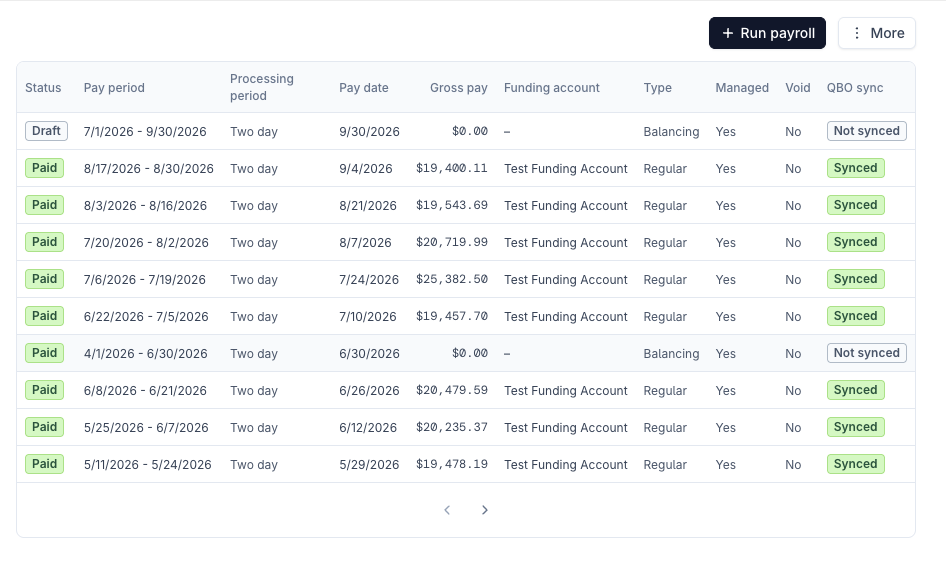
On the company's Payrolls tab, the QBO sync column shows each payroll's current QuickBooks status:
- Synced — the payroll's journal entry is in QuickBooks.
- Not synced — the payroll hasn't been sent to QuickBooks. Balancing payrolls, for example, are not synced.
- Failed — a sync was attempted but didn't finish.
Step 2: Open the sync dialog
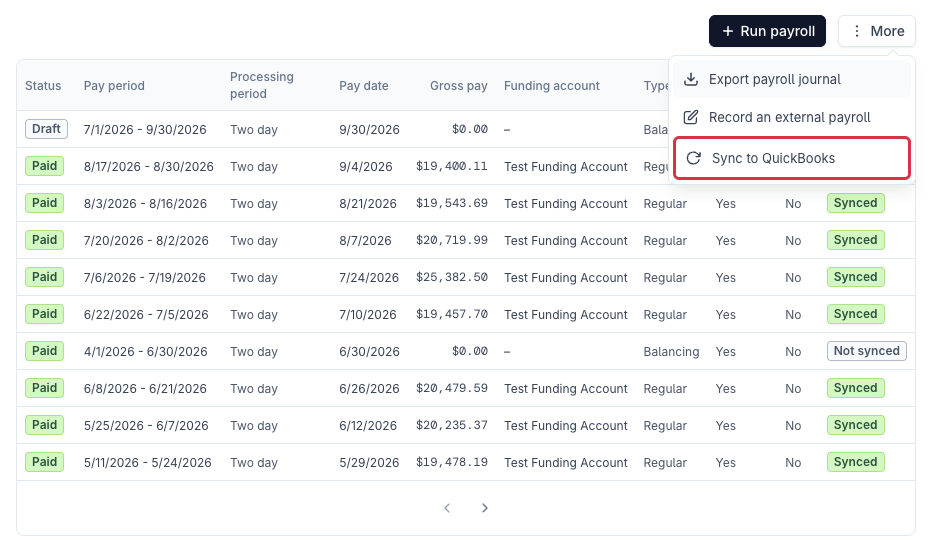
In the top right of the Payrolls tab, select More → Sync to QuickBooks.
Step 3: Choose payrolls and sync
In the Sync payrolls to QuickBooks dialog, select one or more approved payrolls and choose Sync selected payrolls. Each row shows the pay period, pay date, gross pay, and the result of the last sync, so you can quickly see which payrolls still need to be synced.
Sync runs in the background — the status updates when processing finishes.
- Resync previously synced payrolls — check this to re-send payrolls that are already marked Synced. Resyncing creates additional journal entries in QuickBooks, so only use it when you intend to.
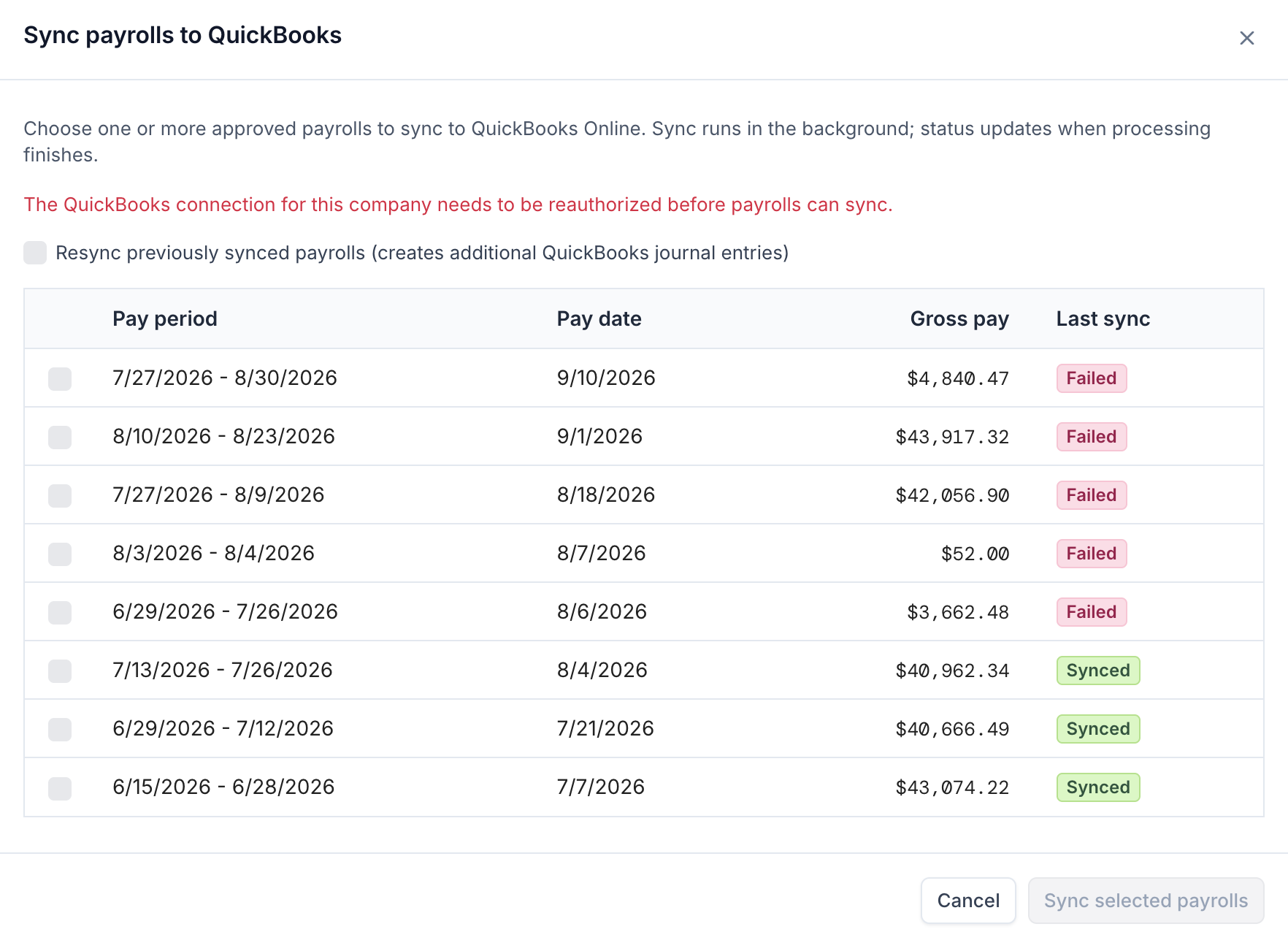
If QuickBooks needs to be reconnectedIf the dialog shows "The QuickBooks connection for this company needs to be reauthorized before payrolls can sync," the company's QuickBooks connection has expired or been disconnected. Reconnect QuickBooks for the company first, then return to this dialog to sync. Until it's reconnected, payrolls can't sync and Sync selected payrolls stays disabled.
After syncing
When processing finishes, the Last sync status in the dialog and the QBO sync column on the Payrolls tab update to Synced or Failed. If a payroll still shows Failed after the QuickBooks connection is healthy, contact Check support with the company and payroll details.
Updated about 1 month ago