

Checkmate
Check's AI assistant, built directly on the Check API. It answers payroll questions with citations, pulls live data from your account, and investigates across records until it can tell you what happened and why.
Checkmate is Check's AI assistant, built into Check Console and built directly on the Check API. Ask it anything you would ask Check support: it answers with cited sources, pulls live data from your account, and investigates across records until it can tell you what happened and why.
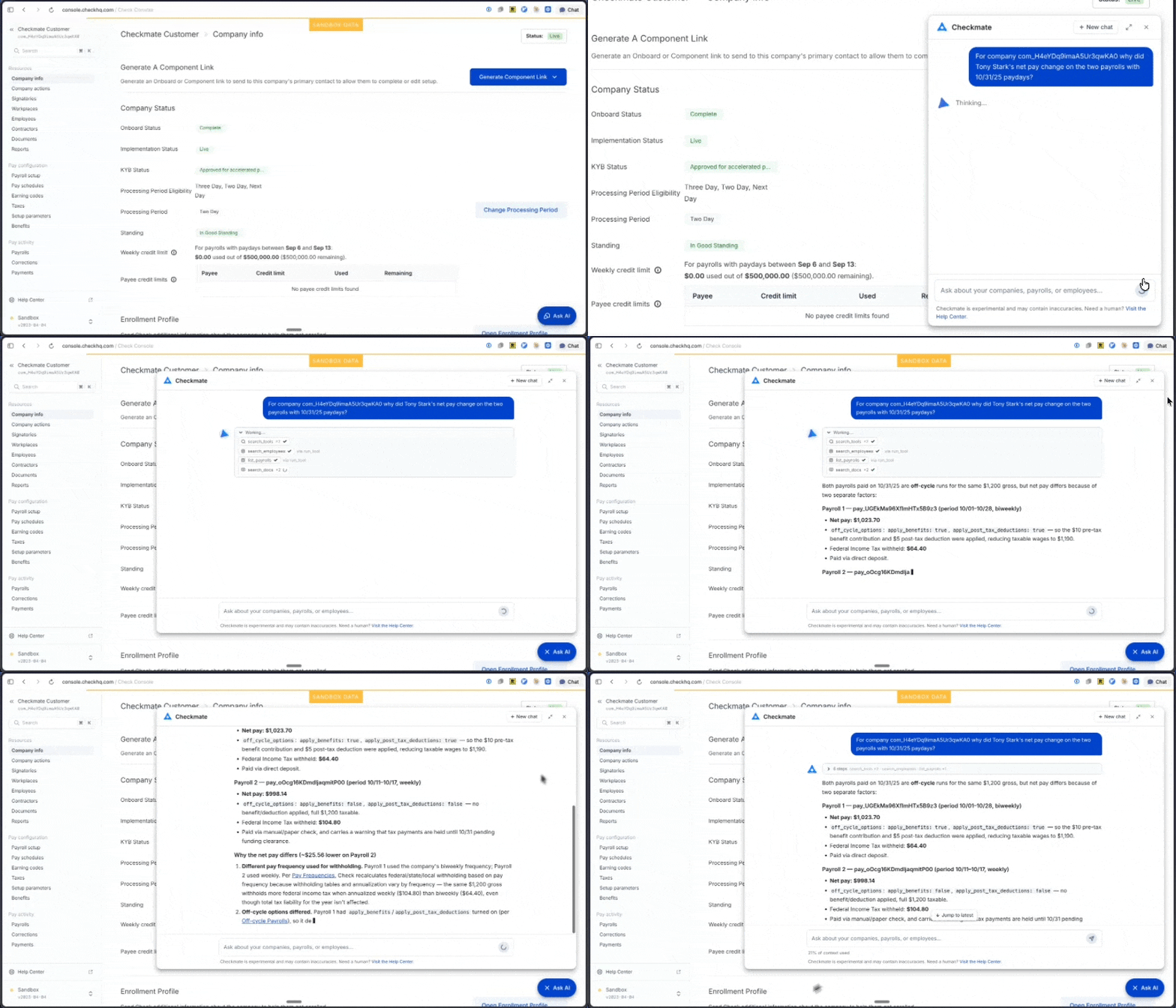
Checkmate investigating a customer question in Console.
Checkmate is not a chatbot with a script. It can retrieve almost any data your account has access to — companies, employees, contractors, payrolls, payments, taxes, filings, documents — and it decides which lookups a question needs, chains them together, and reasons across the results the way an engineer would.
Try asking it
- "Why did this employee's net pay change on the last payroll?" — it pulls both paychecks and walks through exactly what moved and why.
- "Trace this SUI amount back to the rate that produced it."
- "Which employees at this company are missing tax setup?"
What Checkmate can do
- Answer questions with cited answers. Checkmate draws on Check's Help Center, API documentation, and knowledge base, and cites its sources so you can verify every answer.
- Look up live data. Any resource your account can reach through the Check API, in sandbox and production.
- Investigate across records. Compare two payrolls to explain a variance, cross-reference an employee's setup against their withholdings, or trace a tax amount to the setting that produced it. Questions that used to be support tickets get answered in the chat.
- Know when to hand off. When a request needs a human Checkmate says so and links you to Check support.
Under the hood
Checkmate runs on Check's own AI infrastructure, on the same foundation as the Check MCP Server and Check CLI. Where the MCP Server hands that surface to your AI tools, Checkmate puts it behind a chat interface embedded directly in Console — no setup, API key, or integration work required.
Checkmate authenticates with your Console session, so everything it does is scoped to exactly the companies and data your account has permission to access. It cannot see or change anything that your account cannot.
How to access Checkmate
Click the Ask AI button in the bottom-right corner of Check Console. Checkmate is available in both sandbox and production, to every partner with Console access.
A few things it deliberately won't do: surface sensitive personal fields such as Social Security numbers or full bank account numbers, or generate files such as PDFs and spreadsheets (yet).
Tips for getting the best results
- Include IDs when you have them, such as "Look up employee
emp_abc123". - Describe the outcome you want, not just the object. "Why is this employee's federal withholding $0?" gives Checkmate more to work with than "look up employee taxes".
- When troubleshooting, describe what you expected versus what actually happened.
- Rate responses with a thumbs up or thumbs down. Feedback goes straight into making Checkmate better.
Updated about 1 month ago