

Console v2 beta
Try the rebuilt Console v2
Console V2 is rolling out in betaWe're releasing a rebuilt Console to design partners first. It's opt-in per team, every page from the current Console is there, and you can switch back at any time. If you'd like your team enabled, ask your Check contact.
What's different
Our goal was to make Console easier to use, more intuitive, and a cleaner foundation for new features. Your day-to-day workflow stays the same, with these changes:
- The Companies page is rebuilt from scratch, with more pages to follow the same pattern.
- Tables and edit actions work the same way on every page.
- Every page from the current Console is available, so nothing you rely on is missing.
Switching between versions
Once Console v2 is enabled for your team, a Try the new console link appears at the bottom of the navigation drawer in Console. Click it and confirm to continue on the same page in the new Console. To go back, click the switch icon above your avatar in the new Console's left rail and confirm. Either direction keeps you on the page you were on.
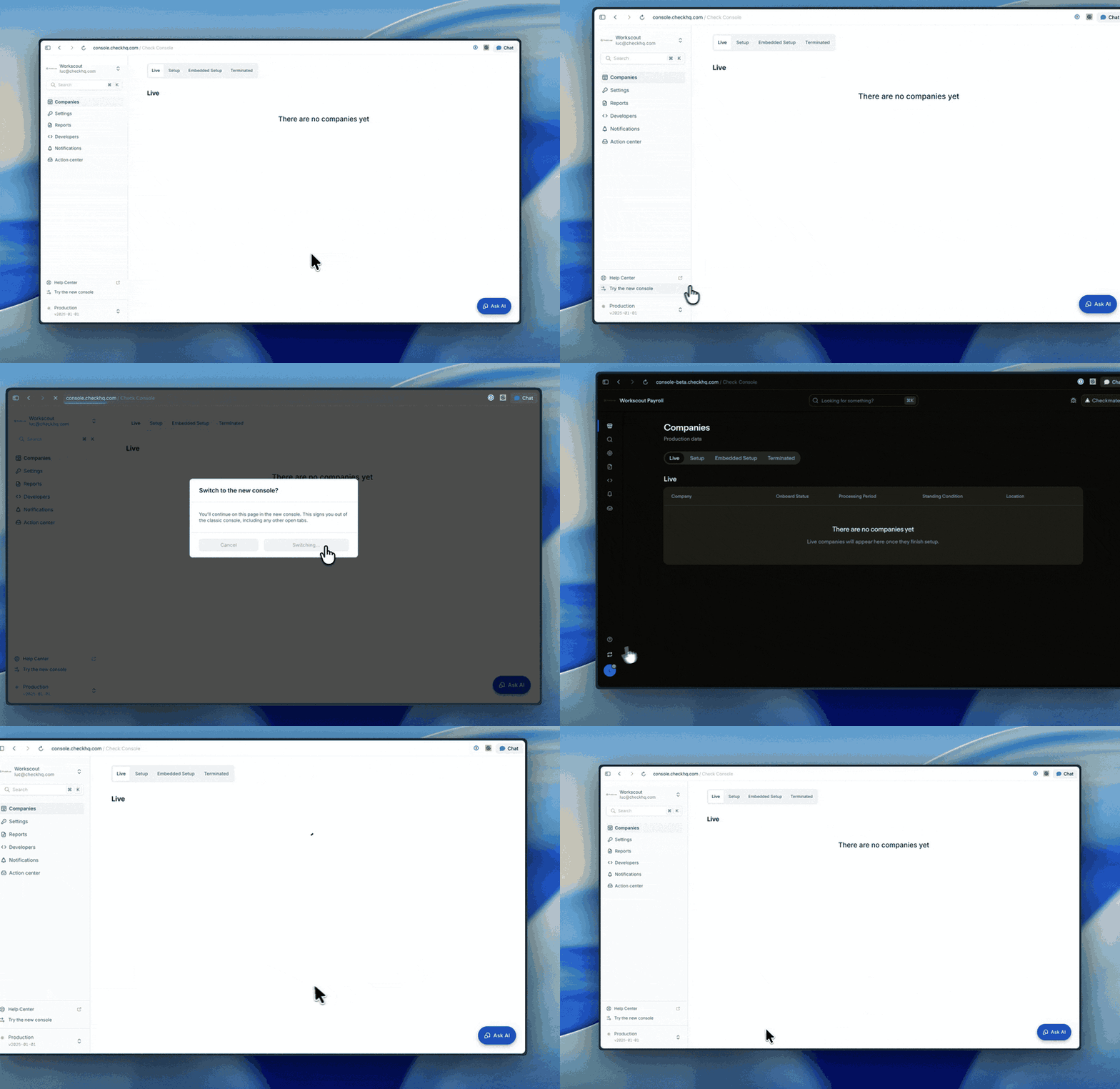
Switching signs you out of the version you're leaving, including any other tabs you have open in it. Each version remembers the one you chose last: after you switch to the new Console, signing in at console.checkhq.com takes you straight there until you switch back.
NoteSwitching is per user, not per team. Each person on your team chooses when to try the new Console, and the rest of the team isn't affected.
Giving feedback
Use the new Console for your daily work and tell us what's missing or what gets in your way. Send feedback through your Check contact or the shared channel you already use with us. We're reading everything during the beta.
Updated 21 days ago