

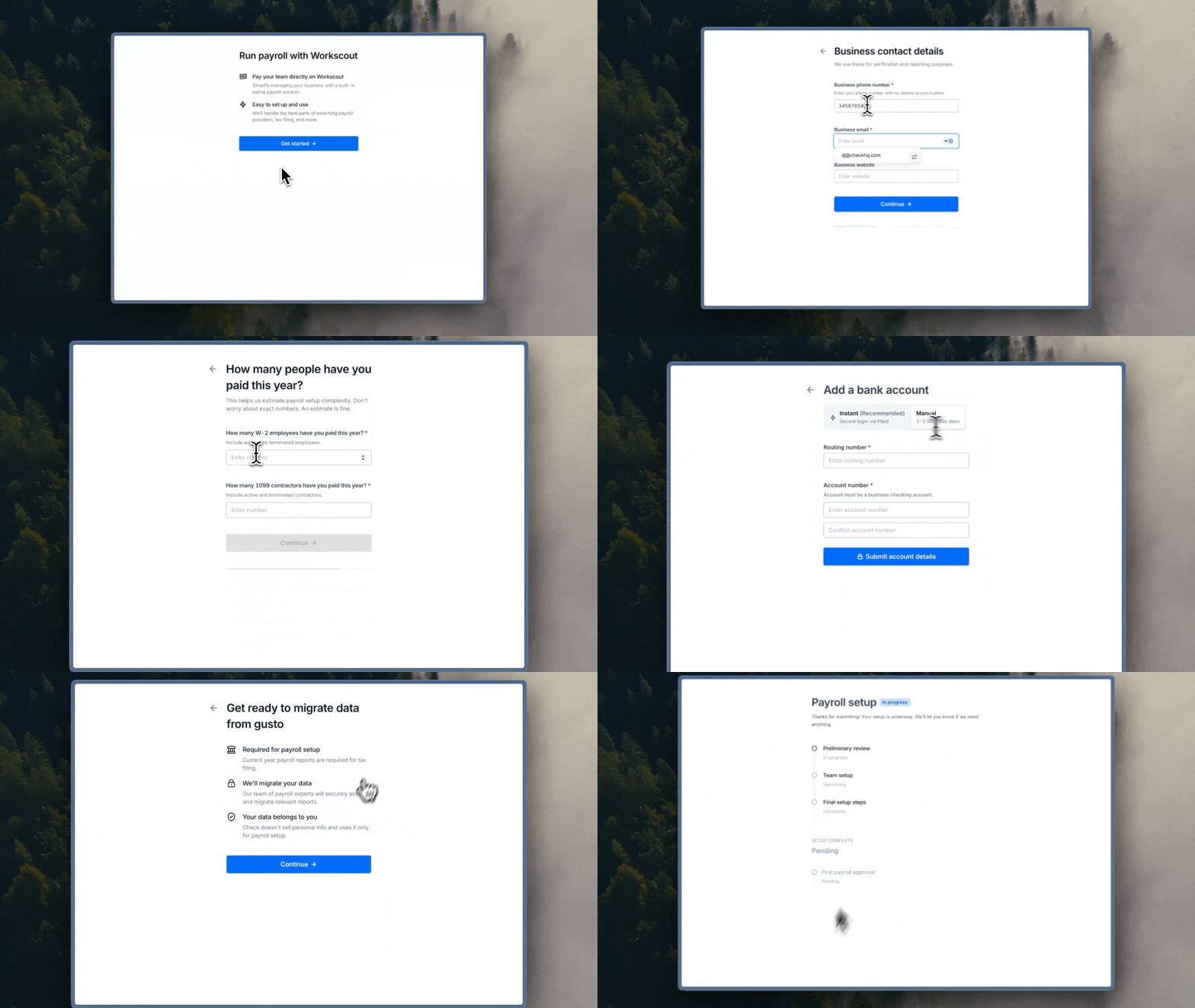
This Component allows an employer to submit themselves to Check for Full Service Embedded Setup.
| Time | Status | User Agent | |
|---|---|---|---|
Retrieving recent requests… | |||
Slated for deprecationThis component is only available with Full Service Embedded Setup, which is slated for deprecation on January 1, 2027. Reach out to Check with questions about migrating.
Completion EventWhen embedded on your page, this component can be closed once the
check-component-setup-submission-completeSDK event has been posted.Alternatively, you can leave the component open after the event, and it will take the user to the progress tracker component so they can observe Check's progress on their setup.
Updated Fields
Both the Company and Enrollment Profile objects will be updated while this component is used. Specifically, the following fields will be updated:
Enrollment Profile
[
  "employee_count",
  "contractor_count",
  "previous_payroll_provider",
  "first_payroll",
  "first_payroll_of_year"
]
Company
[
  "legal_name",
  "trade_name",
  "business_type",
  "industry_type",
  "website",
  "email",
  "phone",
  "pay_frequency",
  "bank_accounts",
  "start_date",
  "onboard", // Documentation can be found [here](https://docs.checkhq.com/docs/onboard-status)
  "address",
]
SDK Events
Throughout a user's progress through this component, different SDK events will be emitted which you have the option to act on. More documentation about SDK events emitted from Check Components can be found here.
| Event | Description |
|---|---|
check-component-company-signatory-agreements-complete | If the Company has not signed the Terms of Service or Debit Authorization forms yet, they’ll be prompted to agree to these agreements before they’re able to proceed. Upon completion of those forms and acknowledgement of signing, this event will be posted. |
check-component-new-to-payroll-indicated | This event will be posted if the user indicates their company has never paid people before. This component can't be used for companies that have never paid people before so this can be considered an additional completion event. |
check-component-company-connect-bank-account-complete | This event will be posted after the user has finished linking their bank account. |
check-component-previous-provider-access-complete | This event will be posted after the user has confirmed that they’ve either uploaded payroll reports or given Check access to their online previous provider. |
check-component-setup-submission-complete | This event will be posted after the user has successfully submitted to Full Service Embedded Setup. |
Sizing Requirements for Embedding on a Page
Correct usage of this component requires a viewport at least 600px in width and 700px in height.
If email is provided, the user can regenerate a link sent to that email if the component link is expired.