

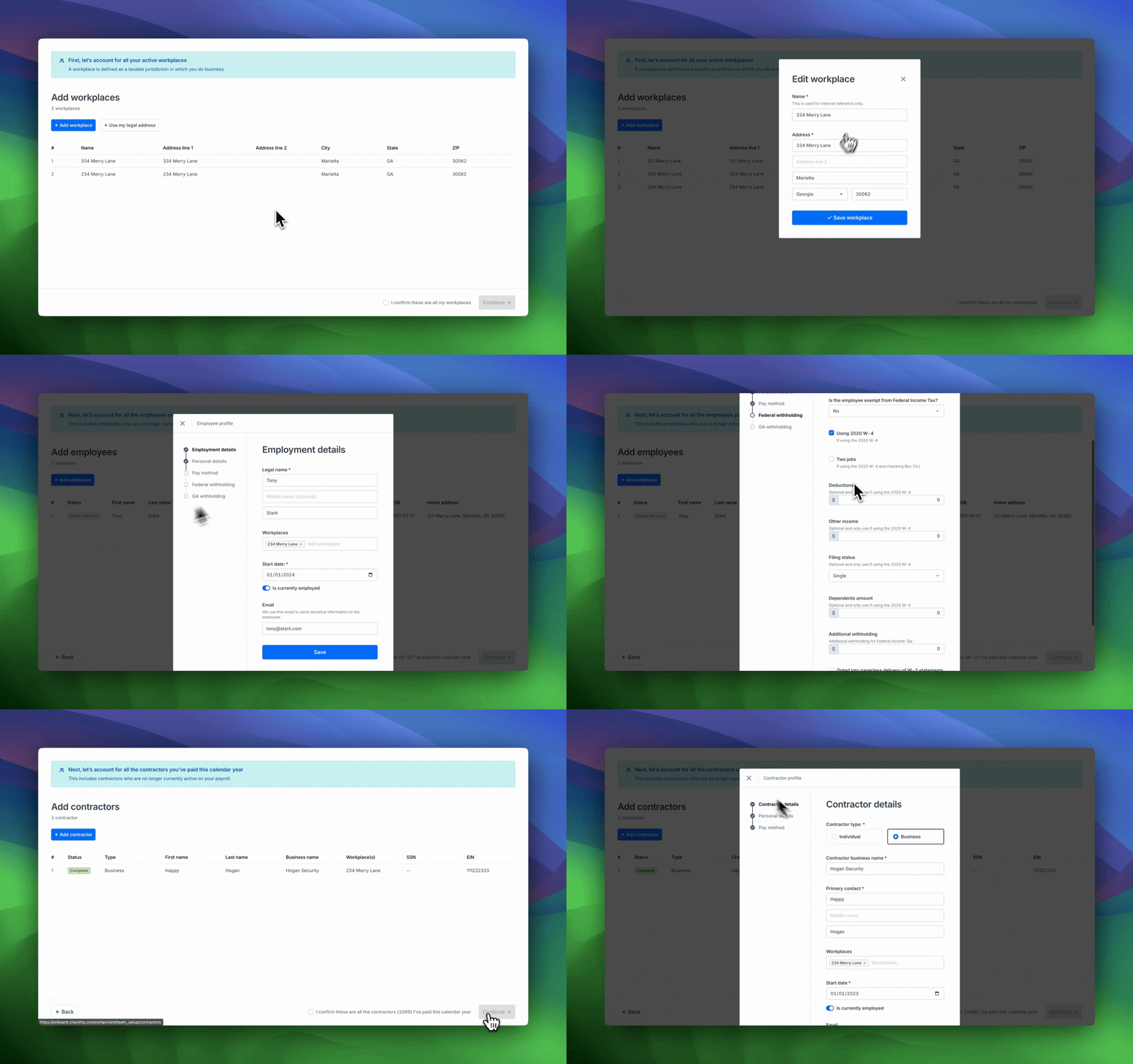
This Component allows an employer to set up and manage their workplaces, employees, and contractors.
| Time | Status | User Agent | |
|---|---|---|---|
Retrieving recent requests… | |||
Completion EventWhen embedded on your page, this component can be closed once the
check-component-team-setup-completeSDK event has been posted.
Standalone RostersEach of the three rosters in this Component is also available as a standalone Component: Workplace Roster, Employee Roster, and Contractor Roster. Use those when you want to let an employer manage their team without stepping through the full setup sequence.
Additional SDK Events
Throughout a user's progress in this component, a few other SDK events will be emitted which you have the option to act on. More documentation about SDK events emitted from Check Components can be found here.
| Event | Description |
|---|---|
check-component-team-setup-workplace-setup-complete | This event will be posted when the user completes workplace setup which is the first step of team setup. |
check-component-team-setup-employee-setup-complete | This event will be posted when the user completes employee setup which is the second step of team setup. |
check-component-team-setup-contractor-setup-complete | This event will be posted when the user completes contractor setup which is the third step of team setup. |
If email is provided, the user can regenerate a link sent to that email if the component link is expired.